

login and the secret key of your Qonto organization.
To do so:
-
Go to the Qonto web app of the environment you are currently working on 👇
- Sandbox: From the Toolkit, click on “Sandbox web app”.
- Production: Go to the Production web app.
- If you have several organizations, choose the organization to which you want to connect.
-
Click on Integrations and Partnerships > API key.
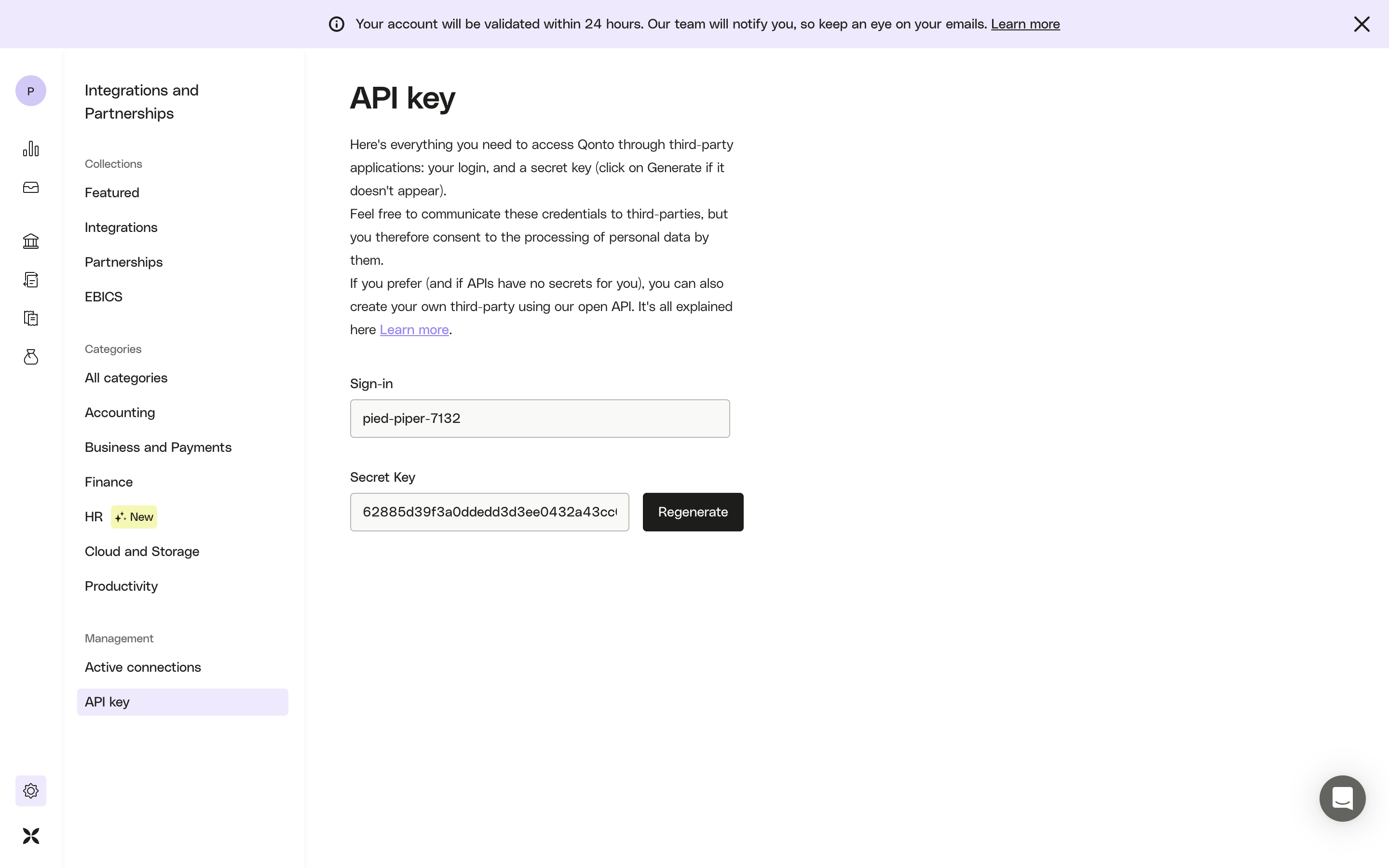
- (optional) Click on the Generate button to create your secret key.
-
Use the following header in your API calls 👇
sign-in is pied-piper-7132 and secret key is 62885d39f3a0ddedd3d3ee0432a43ccr, your request will look like this:
cURL example
- Make your first request to
https://thirdparty.qonto.com/v2/organization-
If you get a 200 Success code (with details of your organization)
→ 🎉 Congratulations, your Authorization header is valid - If you get a 401 Unauthorized error code → Double-check your header name & value
-
If you get a 200 Success code (with details of your organization)